If your practice uses OCTs, fundus cameras, retinal imaging systems, or visual field testing equipment, you’re generating a large amount of diagnostic image data with every insightful patient visit. But where does all that data go? And how do you find it when you need it?
That’s where a PACS system comes in, something many eye care practices think they have, but often don’t. In this article, we’ll break down what PACS really is, how to tell if you’re using one, and why modern practices are turning to more automated, interoperable tools to handle the increasing volume of clinical imaging.
What Is a PACS System?
A Picture Archiving and Communication System (PACS) is a software platform that stores, organizes, and retrieves medical images.
In eye care, this can include:
- OCT scans
- Fundus and retinal images
- Visual field test results (e.g., 24-2, 30-2, 10-2)
- External photos
- Corneal topography and biometry
- Any DICOM-based ophthalmic image
A note about DICOM: If you’re unsure what a PACS system is, it’s understandable to have questions about the term DICOM as well. DICOM stands for Digital Imaging and Communications in Medicine. It is the international standard for storing and transmitting medical images and related information. DICOM is like the “language” that imaging devices and software speak to exchange images and information.
If your visual field device ‘talks DICOM,’ it can communicate with other DICOM-compliant systems (like a PACS) regardless of vendor.
What does a PACS do for an Eye Care Practice?
A PACS acts as a central image hub. Instead of storing images on each medical testing and imaging device in separate folders or manually attaching PDFs to charts, a PACS collects everything in one place and makes it searchable.
Typically, a PACS will:
- Securely store ophthalmic images
- Allow quick image search and retrieval
- Display images side-by-side for comparison
- Support annotations and measurement tools
- Integrate with your Electronic Health Record (EHR) or Electronic Medical Record (EMR) system
- Use DICOM standards to allow multi-device compatibility
Historically, PACS systems were developed for radiology, but as eye care imaging advances and becomes more frequent, PACS has become increasingly relevant in optometry and ophthalmology.
How to Tell if I have a PACS System
If you’re an independent OD/MD practice or small group, you may not have a PACS.
Here’s how to tell. You likely have a PACS if:
- You use ZEISS FORUM, Topcon Harmony, OptosAdvance, Heidelberg HEYEX, or a similar system
- You can view all diagnostic images from multiple devices in one viewer
- Images automatically appear in your EHR without manual uploading
- You have a server or cloud system dedicated to imaging
- Your EHR links to a centralized image archive
You likely do NOT have a PACS if:
- Images live on individual devices
- The eye care technicians in your practice manually upload PDFs into each patient’s chart.
- You’re scanning or printing test results (e.g., visual field test results)
- A patient’s images exist in multiple places, depending on which machine was used
- Your EHR stores PDFs of images, but not true DICOM image files
Most independent practices fall into a hybrid bucket, leveraging some automation, but not a full PACS.
And this is where modern interoperability tools can fill the gap.
Why PACS Systems Matter More Than Ever in Eye Care
Eye care is becoming more image-heavy every year. The following high-volume conditions typically require frequent imaging and careful long-term comparison:
- Glaucoma
- Diabetes
- Dry eye
- AMD
- Plaquenil toxicity (10-2 testing)
Without a PACS, or PACS-like automation, you risk:
- Lost or misfiled images
- Delayed chart reviews
- Manual data entry errors
- Inefficient workflows
- Compliance issues
- Inconsistent longitudinal tracking
As patient expectations (and payer audits) rise, managing image data well is no longer optional. It’s essential.
Introducing DICOM 360 Sync from Carrot
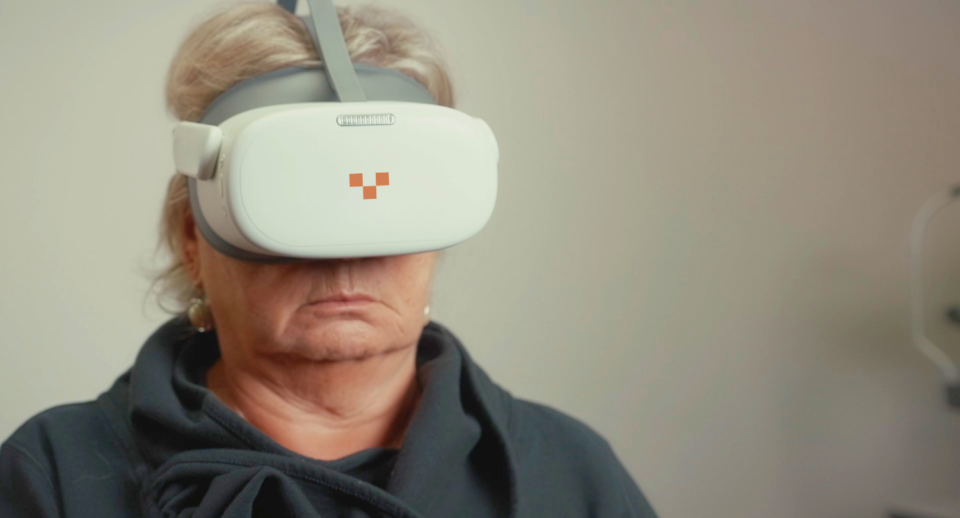
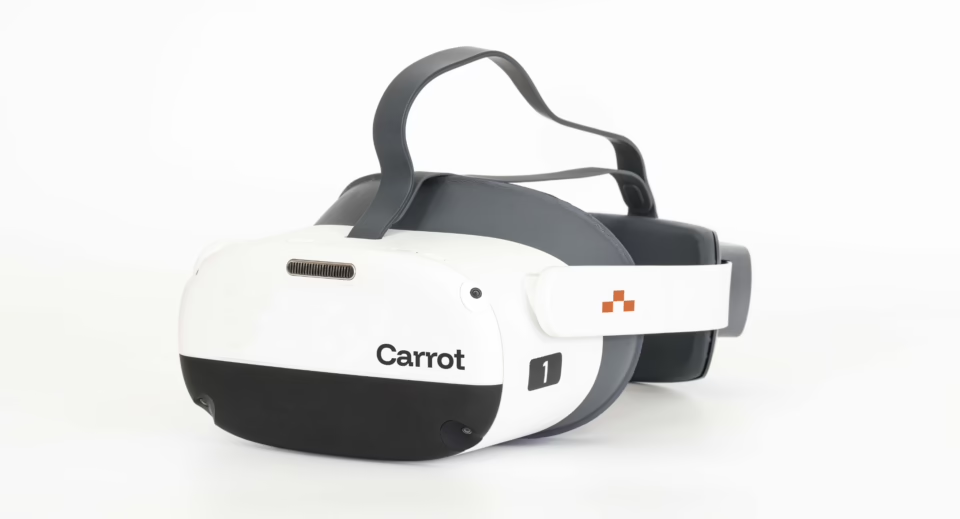
To support eye care practices of every size, regardless of their patient volume and technical comfort level, Carrot developed DICOM 360 Sync for our Carrot Pro subscription.
DICOM 360 Sync is an automatic, real-time, bi-directional sync designed to eliminate wasted time, reduce human error, and deliver seamless interoperability, included with our Pro subscription at no extra cost. Validated in real clinics, it’s already proving to save minutes per exam, increase throughput, and improve both staff and patient experiences.
It provides:
✔ Automatic Patient Data Sync (Worklist).No more typing patient names into the visual field machine. The device pulls patient demographics directly from your EHR.
✔ Instant Report Sync Into the Chart. The moment a visual field test is completed, the report:
- Auto-matches the correct patient
- Instantly attaches to the correct EHR record
- Requires zero manual downloads or uploads
✔ Match and Attach Intelligence. Eliminates the #1 EHR imaging error: results attached to the wrong patient.
✔ Zero-Touch Workflow. The process is fully automated from start to finish.
Do I need a PACS System?
For personalized guidance, discuss whether you could benefit from a PACS with your internal IT resources. In general, however, here’s the simple guidance:
You likely need a PACS if:
- You have a high imaging volume
- You perform long-term disease monitoring
- You use multiple diagnostic devices across multiple rooms or sites
Final Thoughts
Whether or not you have or need a PACS system depends on your imaging volume, device mix, and workflow goals. However, every practice benefits from:
- Reduced manual data entry
- Faster access to test results
- Fewer transcription errors
- More consistent documentation
- Better patient care
And for visual field testing, Carrot’s DICOM 360 Sync offers:
- Significant Time Savings: Minutes saved per exam free up staff and unlock higher daily patient capacity.
- Workflow Efficiency: No more bottlenecks—techs focus on patients, doctors get instant results.
- Error Elimination: Automated matching and syncing prevent misfiles, lost reports, and re-tests.
- Better Experience: Staff burnout decreases, patients wait less, and the clinic feels modern and efficient.
- Proven in Real Clinics: Validated in practice, delivering measurable gains in speed, accuracy, and throughput.
And unlike competitors who charge for clunky add-ons, DICOM 360 Sync is included in the Pro package at no additional cost